

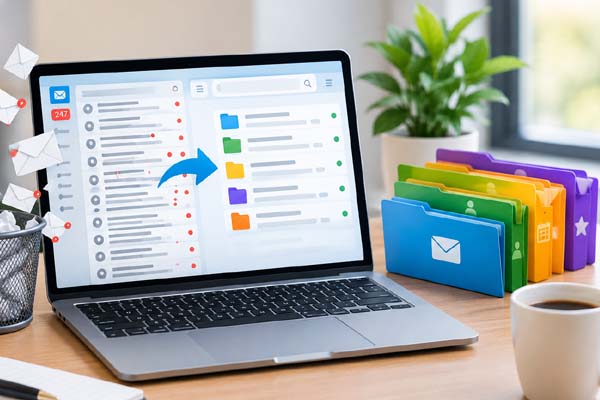
A crowded inbox can make it harder to find important messages, keep track of tasks, and notice emails that actually need a reply. The easiest way to clean it up is to remove messages you no longer need, unsubscribe from unwanted newsletters, organize useful emails into a few simple folders or labels, and create a routine for handling new messages. You do not need to reach “Inbox Zero.” A simple system that helps you find important emails quickly is more useful.
Start by Removing Emails You Do Not Need
Before creating complicated folders, deal with the messages already filling your inbox.
Start with obvious clutter such as promotional emails, old notifications, expired offers, automatic alerts, and newsletters you no longer read. Many email services allow you to search for messages by sender, subject, date, or size, which makes large cleanups much easier.
Instead of opening hundreds of emails individually, search for common sources of clutter. For example, searching for a particular retailer, newsletter, or notification service can show many messages at once.
You can then select unnecessary emails in bulk and delete them.
Be more careful with messages involving finances, work, appointments, purchases, travel, warranties, or important personal information. If you might need a message later, archive it instead of deleting it.
| Inbox Problem | Useful Action |
| Old promotional emails | Delete them in bulk |
| Newsletters you never read | Unsubscribe and remove old emails |
| Important emails you want to keep | Archive or label them |
| Large attachments | Delete unnecessary files or save them elsewhere |
| Messages needing action | Mark or move them to an action folder |
The goal is not simply to make the inbox look empty. It is to remove unnecessary information while keeping important records accessible.
Unsubscribe From Emails You Never Read
If the same unwanted messages keep returning, deleting them one by one will not solve the underlying problem.
Look for the unsubscribe option in legitimate newsletters and promotional emails. Many marketing emails include a clear unsubscribe link near the bottom.
After unsubscribing, you can delete older messages from the same sender.
Be cautious with suspicious emails. If a message looks like spam or phishing, do not click unfamiliar links simply because they claim to offer an unsubscribe option. Instead, use your email provider’s spam or junk-mail tools.
You can also be selective about what you sign up for in the future. Every newsletter, shopping alert, website notification, and promotional mailing adds another source of inbox traffic.
A cleaner inbox is easier to maintain when fewer unnecessary emails arrive in the first place.
Create a Simple Folder or Label System
Too many folders can make email management harder rather than easier.
Instead, create a small number of categories based on how you actually use email.
For example, you might have folders or labels for:
- Work
- Personal
- Finance
- Receipts
- Projects
- Travel
The exact categories depend on your needs. Someone who uses email mainly for personal communication may only need two or three.
You can also use an “Action” folder or label for messages that require a response or another task. Once you complete the task, move or archive the email.
Archiving is especially useful because it removes a message from the main inbox without necessarily deleting it. If you need it later, you can usually find it through search.
Try not to create a separate folder for every individual person or company unless you have a genuine reason to do so. Search tools are now good enough that you usually do not need dozens of categories.
Use Search, Filters, and Automatic Organization
Modern email services can save considerable time with search and filters.
Instead of scrolling through years of messages, search using a sender’s name, email address, subject words, date range, or other available search options.
Filters can take this further by automatically handling certain types of incoming messages. For example, emails from a particular newsletter could be automatically labeled, while specific notifications could skip the main inbox.
You can also use stars, flags, or other markers for messages that deserve attention.
The important thing is to avoid creating a system that requires constant maintenance. If a filter becomes confusing, simplify it.
You should also periodically review your filters and automatic rules. An old rule may no longer be useful, especially if you no longer use the service that created it.
Build a Routine You Can Maintain
The best inbox system is one you can continue using after the initial cleanup.
Set aside a few minutes regularly to process new messages. When you open an email, decide what it needs from you.
If it is unnecessary, delete it. If it needs a response, reply when practical or mark it for later. If it is useful but does not require action, archive it. If it belongs to a project, apply the appropriate label.
Try not to repeatedly open the same email without making a decision. That simply moves the task from one day to another.
You also do not have to answer every email immediately. Some messages can wait, especially when they are not urgent.
If your email provider offers notifications for every incoming message, consider turning off alerts that are not important. Fewer interruptions can make it easier to concentrate on other work.
A short weekly cleanup can also prevent the inbox from becoming overwhelming again.
Conclusion
Cleaning up your email does not require reaching a perfectly empty inbox. Focus on removing unnecessary messages, unsubscribing from unwanted newsletters, creating a few useful folders or labels, and using search and filters to find information quickly. Most importantly, create a simple routine that keeps new clutter under control.
Take better breaks during busy workdays to stay focused, refreshed, and productive.
FAQs
How often should I clean my email inbox?
A short cleanup once a week can be enough for many people. If you receive hundreds of emails every day, you may benefit from processing them more frequently.
Should I delete or archive important emails?
Archive important emails you may need later. Delete messages only when you are confident you no longer need them.
How many email folders should I create?
There is no fixed number, but keeping the system simple is usually easier. Start with a few categories that match your actual needs.
Is it worth unsubscribing from newsletters?
Yes. Unsubscribing from newsletters and promotions you no longer read reduces future inbox clutter instead of only removing old messages.
