

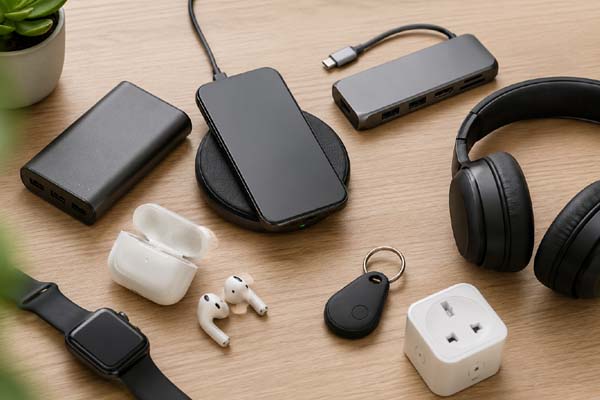
Tech accessories can make everyday tasks faster, more comfortable, and more convenient without requiring expensive gadgets. Useful options include wireless chargers, power banks, USB-C hubs, Bluetooth trackers, ergonomic keyboards, noise-canceling headphones, and smart plugs. The best choice depends on your routine: commuters may benefit most from portable charging, while remote workers can improve their setup with better keyboards, webcams, or desk accessories. Choosing practical accessories that solve a real problem is usually more valuable than buying the latest gadget.
1. Power Banks and Wireless Chargers
Keeping your devices powered is one of the simplest ways tech accessories can improve daily life. A reliable power bank can provide extra battery life when you’re traveling, commuting, or away from a power outlet.
Look for a model with enough capacity for your phone and suitable charging support. USB-C charging is especially useful because many modern phones, tablets, laptops, and other devices use the same connector.
Wireless chargers are another convenient option. Instead of repeatedly plugging in a cable, you can place a compatible phone or earbuds case on the charging pad.
Best for: Travel, commuting, work, and keeping frequently used devices charged.
2. USB-C Hubs and Multiport Adapters
Modern laptops are often thinner and have fewer built-in ports. A USB-C hub can solve this problem by adding useful connections such as USB-A, HDMI, Ethernet, SD card, and additional USB-C ports.
For people who work from home, a hub can make it easier to connect a monitor, keyboard, mouse, storage drive, and other peripherals.
When choosing one, check the specifications carefully. Not every USB-C port supports the same features, and video output, charging speed, and data-transfer speeds can vary between models.
| Accessory | Main Benefit | Ideal For |
| Power bank | Portable charging | Travelers |
| Wireless charger | Cable-free charging | Home and office |
| USB-C hub | Adds more ports | Laptop users |
| Bluetooth tracker | Finds lost items | Everyday carry |
| Smart plug | Controls appliances | Smart homes |
3. Bluetooth Trackers and Smart Plugs
Small accessories can sometimes solve surprisingly annoying problems. Bluetooth trackers can help you locate commonly misplaced items such as keys, bags, wallets, or luggage, depending on the tracker and its compatible network.
They are particularly useful for people who frequently forget where they left important belongings.
Smart plugs can also make everyday routines easier. A compatible smart plug can let you control certain appliances remotely or create schedules through a supported app or smart-home system. Always check the plug’s electrical rating and whether it supports the appliance you intend to use.
These accessories are less about entertainment and more about reducing small daily hassles.
4. Accessories for Better Work and Comfort
The right tech accessories can make a computer setup more comfortable and productive. An ergonomic keyboard and mouse can provide a better working experience, while a laptop stand can raise the screen to a more comfortable viewing position.
A good webcam can also be useful for frequent video meetings, especially when a laptop’s built-in camera does not provide the quality you need.
Noise-canceling headphones or earbuds can help reduce distractions in busy environments. They can be particularly useful when working, studying, or traveling.
The important point is not to buy everything at once. Identify what is slowing you down or making your setup uncomfortable, then choose an accessory that directly addresses that issue.
5. How to Choose the Right Accessories
The best tech accessories are the ones you will actually use. Before buying, consider compatibility, build quality, charging standards, warranty coverage, and whether the accessory solves a genuine problem.
Avoid choosing products based only on flashy features. A simple, dependable accessory can provide more everyday value than an expensive gadget with functions you rarely use.
Also check whether an accessory works with your existing devices. For example, verify USB standards, wireless compatibility, operating-system support, power requirements, and connector types before purchasing.
Conclusion
Useful tech accessories can simplify charging, connectivity, organization, work, and home routines. Power banks, USB-C hubs, Bluetooth trackers, smart plugs, and ergonomic computer accessories are practical choices for many people. The smartest approach is to focus on accessories that solve specific problems rather than buying gadgets simply because they are popular.
Compare OLED and LED displays to see which screen technology offers better picture quality, brightness, and value for your needs.
FAQs
1. What are the most useful tech accessories?
Power banks, USB-C hubs, wireless chargers, Bluetooth trackers, and ergonomic computer accessories are among the most practical options.
2. Are tech accessories worth buying?
Yes, when they solve a real problem. A useful accessory can improve convenience without requiring you to replace your main device.
3. What should I check before buying a tech accessory?
Check compatibility, connectors, charging or data standards, power requirements, build quality, and warranty information.
4. Which accessories are best for working from home?
A USB-C hub, ergonomic keyboard and mouse, laptop stand, quality webcam, and suitable headphones can improve a home-office setup.
