

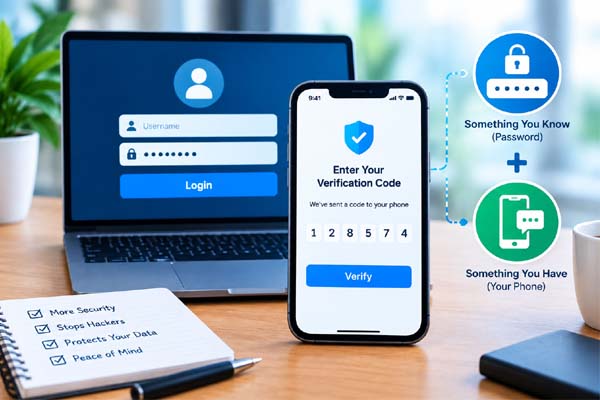
Two-factor authentication, commonly called 2FA, adds an extra security step when you sign in to an online account. Instead of relying only on a password, you also provide another form of verification, such as a code from an authenticator app, a security key, or another approved method. This means that even if someone obtains your password, they may still be unable to access your account. For important accounts such as email, banking, and social media, enabling 2FA is one of the simplest ways to improve account security.
How Two-Factor Authentication Works
A normal login usually requires one thing: your password.
Two-factor authentication adds another verification step. After entering your password, the service asks you to prove that you have access to a second factor.
This second factor can take different forms.
For example, an authenticator app can generate a temporary six-digit code. A security key can provide physical confirmation. Some services may send a verification code by text message, while others may use an approval notification on a trusted device.
The idea is simple: your password is something you know, while another factor can be something you have or, in some systems, something you are.
| 2FA Method | How It Works | General Consideration |
| Authenticator app | Generates temporary codes | Strong and convenient |
| Security key | Physical device confirms login | Strong protection against many phishing attacks |
| Passkey | Uses device-based cryptographic credentials | Convenient and increasingly supported |
| Text message | Sends a temporary code | Better than password-only access, but has limitations |
| Approval notification | You approve a login on a trusted device | Convenient, but protect the trusted device |
The exact options available depend on the website or service.
Why 2FA Matters Even With a Strong Password
A strong password is important, but passwords can still be exposed.
You might accidentally enter a password on a fake website. A company you use could experience a data breach. You might reuse the same password across multiple services, allowing one compromised account to put others at risk.
Two-factor authentication creates another barrier.
If someone obtains your password, they may still need the second factor to complete the login. This can significantly reduce the chance of unauthorized access.
Your email account is particularly important because it can often be used to reset passwords for other accounts. Protecting your primary email with strong authentication can therefore help protect many other services connected to it.
You should also prioritize accounts containing financial, personal, professional, or sensitive information.
Choose the Right Authentication Method
If an account offers several options, consider using an authenticator app, passkey, or security key where appropriate.
Authenticator apps generate codes directly on your device rather than relying on a text message. Security keys provide a physical method of authentication and can offer strong protection against phishing.
Passkeys are another modern option. Instead of depending on a traditional password, they use cryptographic credentials associated with your device or password manager. Support varies between services, but they are becoming increasingly common.
SMS-based authentication can still provide useful protection compared with having no second factor at all. However, text messages have security limitations, so they should not automatically be considered the strongest available option.
If a service offers multiple methods, choose one you can use reliably while keeping backup options available.
Protect Your Backup Options
One important part of 2FA is planning for the possibility that you lose your phone or cannot access your normal authentication method.
Many services provide backup codes when you enable two-factor authentication. Store these codes somewhere secure and private. Do not leave them in an easily accessible public note or send them to other people.
Some services also allow you to add another trusted authentication method.
Before replacing your phone, check how your authenticator app or account handles transfers. If you simply erase your old device without preparing first, you could make account recovery unnecessarily difficult.
Never give a verification code to someone who contacts you unexpectedly. A legitimate company should not need you to read your login code to them over the phone or in a message.
Turn On 2FA for Important Accounts
You do not necessarily need to configure every account immediately.
Start with the accounts that matter most.
Your primary email account should be near the top of the list, followed by financial services, cloud storage, social media, shopping accounts, and work-related services where available.
After enabling 2FA, review the account’s security settings occasionally. Remove old devices and authentication methods that you no longer use.
Remember that two-factor authentication is only one part of good security. Use unique passwords, keep your devices updated, avoid suspicious links, and be careful about phishing attempts.
Conclusion
Two-factor authentication provides an additional layer of protection beyond your password. Authenticator apps, security keys, passkeys, and other methods can make unauthorized access much harder. Start with your most important accounts, keep backup options secure, and never share verification codes with anyone.
Keep your inbox tidy and manageable with simple tips for cleaning up and organizing your email.
FAQs
Is two-factor authentication worth using?
Yes. It adds another security layer and can protect an account even when its password has been compromised.
Is an authenticator app better than SMS 2FA?
Authenticator apps generally provide stronger protection than SMS, but either can be better than relying on a password alone.
What happens if I lose my phone with my authenticator app?
Recovery depends on the service and app. Backup codes, another trusted device, or an alternative authentication method may help.
Should I use 2FA on my email account?
Yes. Your email can often be used to reset passwords for other accounts, making it especially important to protect.
