

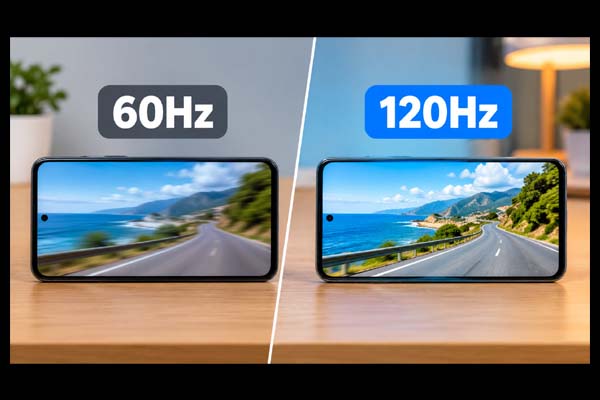
Yes, 120Hz can make a noticeable difference compared with 60Hz, especially when scrolling, gaming, and navigating a phone, tablet, or computer. A 120Hz display refreshes the image twice as often, producing smoother motion and more responsive-feeling interactions. However, it does not automatically mean better picture quality, and many users may be perfectly happy with 60Hz. The right choice depends on what you do, the device you use, and whether you value smoother motion enough to justify the extra cost.
What Does Refresh Rate Actually Mean?
Refresh rate refers to how many times a display updates its image every second. It is measured in hertz (Hz).
A 60Hz display refreshes up to 60 times per second, while a 120Hz display can refresh up to 120 times per second.
| Feature | 60Hz | 120Hz |
| Refreshes per second | 60 | 120 |
| Motion smoothness | Good | Excellent |
| Scrolling | Standard | Much smoother |
| Gaming | Suitable | Better for fast games |
| Battery usage | Generally lower | Can be higher |
| Cost | Often cheaper | Often more expensive |
It is important to understand that refresh rate is different from resolution. A 120Hz Full HD screen can still have less detail than a 60Hz 4K screen. Refresh rate mainly affects motion and responsiveness, not sharpness.
60Hz vs 120Hz: Where Will You Notice the Difference?
The biggest advantage of 120Hz is smoother movement.
On a smartphone, scrolling through websites, social media feeds, menus, and photos can feel noticeably more fluid. Animations also appear smoother because the screen has more opportunities to update the image.
Gaming is another area where 120Hz can be useful. Fast-moving games benefit from a higher refresh rate because motion appears clearer and controls can feel more responsive. However, your device also needs enough processing and graphics performance to produce high frame rates. A 120Hz display cannot magically turn a game running at 40 frames per second into a 120 FPS experience.
For everyday tasks such as reading documents, sending emails, watching most videos, or using basic office applications, the difference may be less important.
Does 120Hz Use More Battery?
Generally, yes. A display running at a higher refresh rate can consume more power because it is updating more frequently.
However, modern phones, laptops, and tablets often use adaptive or variable refresh rates. Instead of staying at 120Hz all the time, the device can lower the refresh rate when high-speed motion is unnecessary and increase it when smoother movement is useful.
For example, a phone may use a higher refresh rate while scrolling but reduce it when displaying a mostly static image. This can help balance smoothness and battery life.
Battery impact varies significantly between devices, display technologies, software, brightness levels, and refresh-rate implementations. Therefore, you should not assume that every 120Hz device will have poor battery life.
Who Should Choose 60Hz or 120Hz?
A 60Hz display remains a sensible choice for many people. If you mainly browse the web, work with documents, watch videos, check email, and use basic applications, 60Hz can provide a perfectly good experience.
120Hz is more appealing if you:
- Play fast-paced games
- Scroll frequently on a smartphone or tablet
- Prefer very smooth animations
- Notice motion blur or display responsiveness
- Want a more fluid overall interface
The difference is also easier to appreciate when you compare both displays directly. Once you become accustomed to 120Hz, switching back to 60Hz may make scrolling feel less fluid.
For gaming, also consider other specifications such as response time, input latency, GPU performance, resolution, and variable refresh-rate support. Refresh rate is only one part of the overall display experience.
Conclusion and FAQs
Conclusion:
The choice between 60Hz vs 120Hz depends largely on how you use your device. 60Hz is still suitable for everyday computing and general entertainment, while 120Hz provides noticeably smoother scrolling, animations, and compatible gaming. If smooth motion matters to you, 120Hz is worth considering. If price, battery efficiency, or basic everyday use is your priority, 60Hz can still be a practical option.
Want to make your setup even smarter? Check out these tech accessories that can make everyday life easier.
FAQs
Is 120Hz twice as good as 60Hz?
Not necessarily. It refreshes twice as often, but that does not mean overall picture quality is twice as good. The main benefit is smoother motion and responsiveness.
Can you notice 60Hz vs 120Hz on a phone?
Yes. Many people can notice the difference while scrolling, switching between apps, and viewing animations, particularly when comparing the screens side by side.
Is 120Hz better for gaming?
Usually, yes, particularly for games with fast movement. But the device must be capable of producing sufficiently high frame rates to take full advantage of a 120Hz display.
Does 120Hz drain battery faster?
It can use more power than 60Hz, but devices with adaptive refresh rates can reduce the refresh rate when high-speed updates are unnecessary, helping manage battery consumption.
