

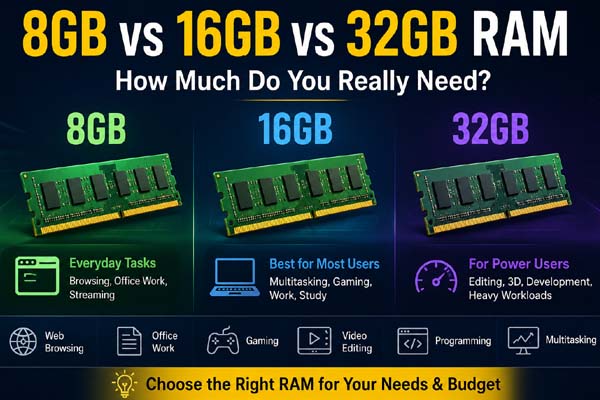
For most people, 16GB of RAM is the best balance between price, performance, and future-proofing. 8GB can still handle everyday tasks such as web browsing, office work, streaming, and light multitasking, while 32GB is better suited to gaming, video editing, programming, creative workloads, and heavy multitasking. The right choice depends mainly on how you use your computer rather than simply choosing the largest amount available.
How Much RAM Do You Need?
RAM, or Random Access Memory, temporarily stores the data your computer actively uses. More RAM allows your system to keep more applications and data available without relying as heavily on slower storage.
| RAM | Best For | Overall Recommendation |
| 8GB | Browsing, documents, streaming, basic tasks | Suitable for light users |
| 16GB | Gaming, work, multitasking, general use | Best choice for most users |
| 32GB | Editing, development, demanding games, heavy multitasking | Best for power users |
If you’re buying a new laptop or desktop, 16GB is generally the safest starting point. It provides enough headroom for everyday applications while avoiding the unnecessary cost of 32GB for basic users.
Is 8GB RAM Enough?
8GB of RAM can be enough if your computer is mainly used for simple tasks. You can comfortably browse the web, write documents, check email, watch videos, and use productivity applications.
The limitation becomes noticeable when you open many browser tabs while running several programs at the same time. Modern websites and applications can consume significant memory, leaving less available for other tasks.
An 8GB system can therefore work well for students, casual users, and basic office computers, especially when the system is otherwise well configured. However, it offers less flexibility for future software and heavier workloads.
If you’re buying a new computer and expect to keep it for several years, spending more for 16GB may be worthwhile.
Why 16GB Is the Sweet Spot
For many users, 16GB provides the ideal middle ground. It handles everyday productivity comfortably and gives you more room for multitasking.
With 16GB, you can typically work with multiple browser tabs, office applications, communication tools, music, and other programs without constantly worrying about memory usage. It is also a sensible amount for many gaming PCs, although the exact requirement depends on the game and the rest of the system.
For work-from-home users, students, general productivity, and people who want a computer that remains capable for several years, 16GB is usually the most practical option.
It also makes more sense than upgrading to 32GB simply because more RAM sounds better. Extra memory only helps when your workload actually needs it.
When Should You Choose 32GB?
32GB becomes valuable when your computer regularly handles demanding workloads. Video editors, 3D artists, software developers, content creators, and users working with large projects can benefit from the additional capacity.
It can also be useful for people who run virtual machines, work with large datasets, edit high-resolution media, or frequently keep many demanding applications open simultaneously.
Serious PC gamers may also consider 32GB, particularly when gaming alongside streaming, recording, browsers, chat applications, or other background software.
However, 32GB does not automatically make every computer twice as fast as one with 16GB. If your workload only uses 10–14GB, having additional unused RAM will not provide a major performance improvement.
Which RAM Option Should You Buy?
The choice between 8GB vs 16GB vs 32GB RAM comes down to your workload and budget.
Choose 8GB if you primarily browse the web, stream content, use office software, and want to keep costs low. Choose 16GB if you want a well-rounded computer for work, study, gaming, and multitasking. Choose 32GB if you regularly use professional software, demanding games, virtual machines, or other memory-intensive applications.
Before buying, also check whether the laptop or desktop allows RAM upgrades. Some laptops have memory soldered directly to the motherboard, meaning you may not be able to increase it later.
Conclusion
For most people, 16GB RAM is the best overall choice. 8GB remains suitable for basic computing, while 32GB makes sense for demanding professional and enthusiast workloads. Instead of paying for memory you may never use, choose the amount that matches your actual tasks and expected future needs.
Check your device’s battery health with these simple steps for Android, iPhone, Windows, and Mac.
FAQs
Is 16GB RAM better than 8GB?
Yes, for most modern computers. 16GB provides more room for multitasking and demanding applications.
Do I need 32GB RAM for gaming?
Not necessarily. Many games work well with 16GB, while 32GB can provide additional headroom for demanding games and multitasking.
Is 8GB RAM enough for a laptop?
It can be enough for basic browsing, office work, streaming, and light everyday use. For heavier multitasking, 16GB is a better choice.
Does more RAM make a computer faster?
More RAM can improve performance when your existing memory is insufficient. If you already have enough RAM for your workload, adding more may provide little noticeable benefit.
