

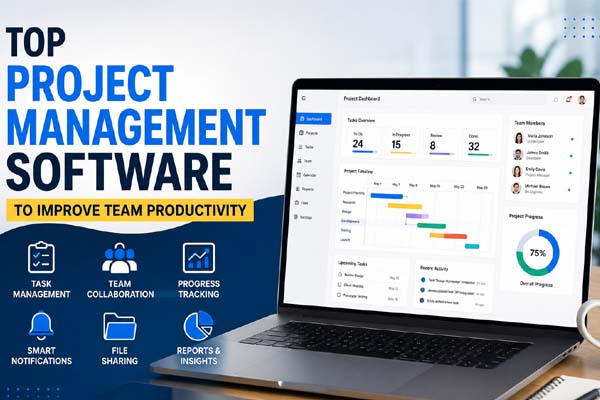
Choosing the Top Project Management Software helps teams organize tasks, improve communication, meet deadlines, and increase productivity. The best platforms combine task management, collaboration, file sharing, automation, and reporting in one place. Whether you run a small business or manage a large team, the right software can simplify workflows and reduce time spent on manual coordination.
| Fast Info | Details |
| Best For | Team collaboration, task management, project tracking |
| Ideal Users | Small businesses, startups, remote teams, enterprises |
| Key Features | Task boards, timelines, automation, file sharing, reporting |
| Popular Options | Asana, Trello, Monday.com, ClickUp, Jira |
| Pricing | Free plans available; premium plans vary by provider |
Why Project Management Software Matters
Managing projects through emails and spreadsheets becomes difficult as teams grow. Project management software keeps everyone on the same page by providing a central place to plan, assign, and track work.
Some of the biggest benefits include:
- Better visibility into project progress
- Improved communication among team members
- Faster task completion
- Reduced missed deadlines
- Easier workload management
- Organized file sharing and documentation
Many modern tools also include automation features that eliminate repetitive tasks, helping teams spend more time on meaningful work.
Features to Look for Before Choosing a Platform
Not every project management tool offers the same experience. Before selecting one, consider the features your team actually needs.
Look for software that includes:
- Task creation and assignment
- Kanban boards and list views
- Gantt charts or project timelines
- Team messaging and comments
- File attachments
- Time tracking
- Workflow automation
- Mobile apps
- Third-party integrations
- Progress reports and dashboards
A clean interface is equally important. If software is difficult to learn, your team may avoid using it consistently.
Popular Tools Worth Considering
Several project management platforms consistently rank among the most trusted options for businesses of all sizes.
Asana
Asana is known for its clean design and flexible task management. It supports project timelines, recurring tasks, automation, and collaboration. It’s a strong choice for marketing, operations, and creative teams.
Trello
Trello uses a simple Kanban board system that’s easy to understand. Small teams and beginners often choose it because setup takes only a few minutes.
Monday.com
Monday.com offers highly customizable workflows with colorful dashboards, automation, and reporting tools. It’s suitable for growing businesses that manage multiple projects.
ClickUp
ClickUp combines task management, documents, goals, chat, and time tracking in one platform. It offers many features while remaining affordable for smaller organizations.
Jira
Jira is designed primarily for software development teams. It supports Agile methodologies, sprint planning, bug tracking, and detailed reporting, making it a favorite among developers.
How the Right Software Improves Productivity
Good project management software does much more than organize tasks. It creates a structured workflow that reduces confusion and helps teams stay focused.
Here are several ways it boosts productivity:
- Everyone knows what they’re responsible for.
- Managers can identify bottlenecks early.
- Deadlines remain visible throughout the project.
- Automatic reminders reduce follow-up emails.
- Shared workspaces improve collaboration.
- Reporting provides insights for future planning.
Remote and hybrid teams especially benefit because everyone can access updates, files, and discussions from anywhere.
Tips for Selecting the Best Solution
The best software depends on your team’s size, workflow, and budget rather than simply choosing the platform with the most features.
Keep these tips in mind:
- Start with a free trial before purchasing.
- Choose software your team can learn quickly.
- Prioritize essential features over extras.
- Check available integrations with your current tools.
- Consider future growth and scalability.
- Review customer support and security features.
Testing two or three platforms before making a final decision often leads to better long-term results.
Conclusion
The Top Project Management Software helps businesses improve organization, communication, and overall team productivity. Tools like Asana, Trello, Monday.com, ClickUp, and Jira each serve different needs, so the best choice depends on your workflow and team size. By selecting software with the right features and ease of use, you can streamline projects and help your team work more efficiently. Discover simple ways to collect more Google reviews and grow your business.
FAQs
What is the best project management software for small businesses?
Asana, Trello, and ClickUp are excellent choices because they offer user-friendly interfaces, useful free plans, and scalable features.
Which project management software is best for remote teams?
Monday.com, ClickUp, and Asana provide strong collaboration tools, file sharing, and real-time updates that work well for remote teams.
Is free project management software good enough?
Yes. Many free plans include task management, collaboration, and project tracking, making them suitable for individuals and small teams.
How do I choose the right project management software?
Consider your team size, required features, budget, ease of use, integration options, and future business growth before making a decision.
