

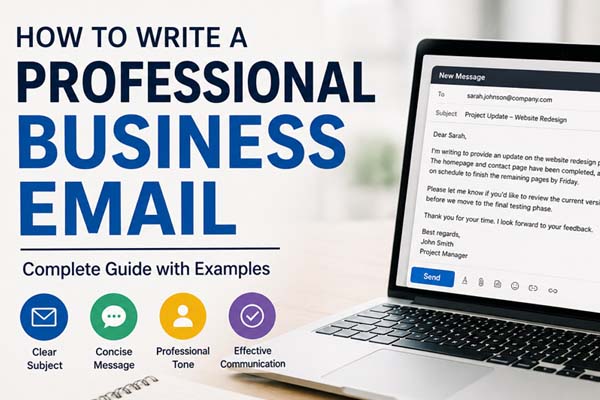
Writing a professional business email means communicating your message clearly, politely, and efficiently. Start with a clear subject line, use a professional greeting, explain your purpose early, keep your message concise, and finish with a courteous closing. Whether you’re contacting a client, employer, coworker, or customer, a well-written email improves communication and creates a positive impression.
| Fast Info | Details |
| Topic | Professional business email writing |
| Best for | Work, job applications, clients, customer support, networking |
| Ideal email length | 100–250 words (most situations) |
| Key elements | Subject, greeting, body, closing, signature |
| Writing style | Clear, concise, polite, professional |
| Common mistake | Writing long, unclear emails without a clear purpose |
Understand the Essential Parts of a Business Email
A professional email follows a simple structure that makes it easy for the reader to understand your message quickly.
Subject Line
The subject should explain the purpose of your email in a few words.
Good examples:
- Meeting Request for July 15
- Project Update – Marketing Campaign
- Invoice #1045 Attached
- Follow-Up on Interview
Avoid vague subjects like “Hello,” “Question,” or “Important.”
Greeting
Choose a greeting based on your relationship with the recipient.
Examples:
- Dear Mr. Brown,
- Dear Ms. Taylor,
- Hello Sarah,
- Hi David,
If you don’t know the recipient’s name, use:
- Dear Hiring Manager,
- Dear Customer Support Team,
Body
Start with the reason you’re writing, then provide the necessary details.
Keep paragraphs short and focus on one idea at a time.
Closing
Finish politely with phrases such as:
- Thank you for your time.
- I appreciate your assistance.
- I look forward to your reply.
End with a professional sign-off like:
- Best regards,
- Kind regards,
- Sincerely,
Include your name and, if appropriate, your job title and contact information.
Write Clearly and Keep Your Message Focused
Most business emails don’t need to be long. Readers appreciate emails that get straight to the point.
A simple format works well:
- Explain why you’re writing.
- Provide the important details.
- State the action you need.
- Thank the reader.
For example:
Instead of writing:
I hope you’re doing well. I wanted to reach out regarding something we’ve been discussing.
Write:
I’m writing to confirm our meeting on Thursday at 2:00 PM.
Using short paragraphs and straightforward language makes your email easier to read on both desktop and mobile devices.
Follow Professional Email Etiquette
Good email etiquette helps you appear respectful and reliable.
Here are a few best practices:
- Use a polite and respectful tone.
- Check spelling and grammar before sending.
- Address the recipient by the correct name.
- Reply within a reasonable time.
- Mention attachments if you’re including files.
- Avoid writing in all capital letters.
- Limit exclamation marks and emojis in formal emails.
Before sending, read your email once to ensure your message is clear and complete.
Use This Professional Business Email Example
Here’s a simple example you can adapt for many situations.
Subject: Project Update – Website Redesign
Dear Sarah,
I’m writing to provide an update on the website redesign project. The homepage and contact page have been completed, and the remaining pages are expected to be finished by Friday.
Please let me know if you’d like to review the current version before we begin final testing.
Thank you for your time. I look forward to your feedback.
Best regards,
John Smith
Project Manager
This format is professional, easy to read, and clearly communicates the next step.
Avoid Common Mistakes Before Sending
Even a small mistake can affect how your email is received.
Common errors include:
- Using an unclear subject line.
- Making the email too long.
- Forgetting to attach referenced files.
- Including unnecessary information.
- Sending without proofreading.
- Using an overly casual tone in professional situations.
- Forgetting a closing or email signature.
A quick review before clicking “Send” can help you catch these issues and make your email more effective.
Conclusion
Knowing how to write a professional business email is an essential communication skill for the workplace. A clear subject line, professional greeting, concise message, polite closing, and careful proofreading can make your emails more effective and increase the chances of receiving a timely response. Keeping your emails focused and easy to read helps you communicate confidently in any professional setting.
Stay productive and focused with these simple tips for staying motivated while working from home.
FAQs
How long should a professional business email be?
Most business emails are between 100 and 250 words. Keep your message as brief as possible while including all necessary information.
What is the best subject line for a business email?
A good subject line clearly describes the purpose of the email, such as “Meeting Request,” “Project Update,” or “Invoice Attached.”
Can I start a business email with “Hi”?
Yes. “Hi” or “Hello” is acceptable in many modern workplaces, especially when emailing colleagues or clients you already know. For more formal communication, “Dear” is often the better choice.
Should I proofread every business email?
Yes. Checking your email for spelling, grammar, names, dates, and attachments before sending helps you avoid mistakes and present yourself professionally.
